
- iOS
- Android
- Utilities
Coffee Roast Tracker
Roast log for home coffee roasters
Track your roasts, calculate roast levels by weight loss, and improve your consistency as a home roaster. No account required, and your data stays on your device.
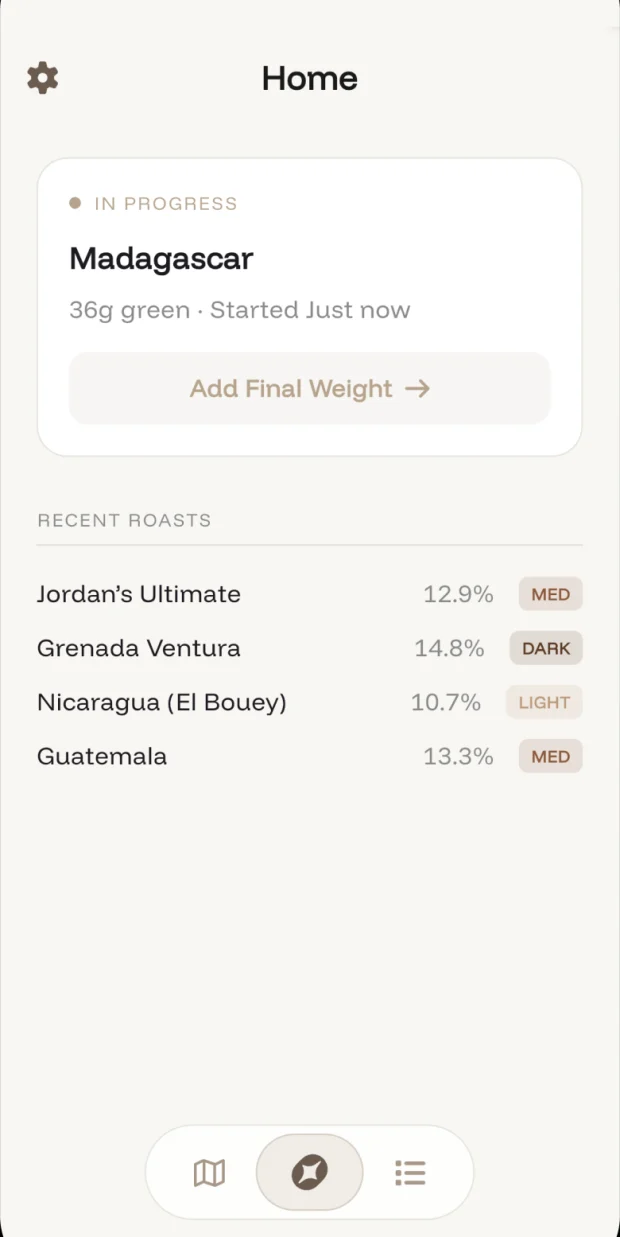
Coffee Roast Tracker is a simple tool for home coffee roasters who want to work out the roast level of small batches, keep track of the results, and get more consistent over time.
Start a roast with the bean origin and green weight. After roasting, log the final weight, and the app calculates the weight-loss percentage and the roast level it corresponds to.
What it does
How it works
- Start a roast by entering your bean origin and green weight
- After roasting, log your final weight
- The app calculates your weight-loss percentage and determines the roast level
Features
- Automatic roast level detection, from Light (City-) to French, based on industry-standard weight-loss percentages
- Roast history: every roast saved, searchable, and grouped by date
- Quick stats: average weight loss, most common roast level, and total roasts
- Roast guide: a reference chart of weight-loss ranges for each level
- Dark mode for early-morning roasts
- Edit entries or undo deletions
Questions
- How do I work out my coffee roast level from weight loss?
- Weigh the green beans before roasting and the roasted beans after. Coffee Roast Tracker turns the two weights into a weight-loss percentage and matches it to a roast level from City- to French, using industry-standard weight-loss ranges. Its roast guide shows the range for each level.
- Do I need an account to use Coffee Roast Tracker?
- No. There is no account, and your roast data stays on your device.
- Can I fix a roast I logged wrong?
- Yes. You can edit entries, and undo a deletion.
- Is Coffee Roast Tracker on iPhone and Android?
- Yes, on both the App Store and Google Play.
Where to get it
Good to know
- No account required. Your data stays on your device.